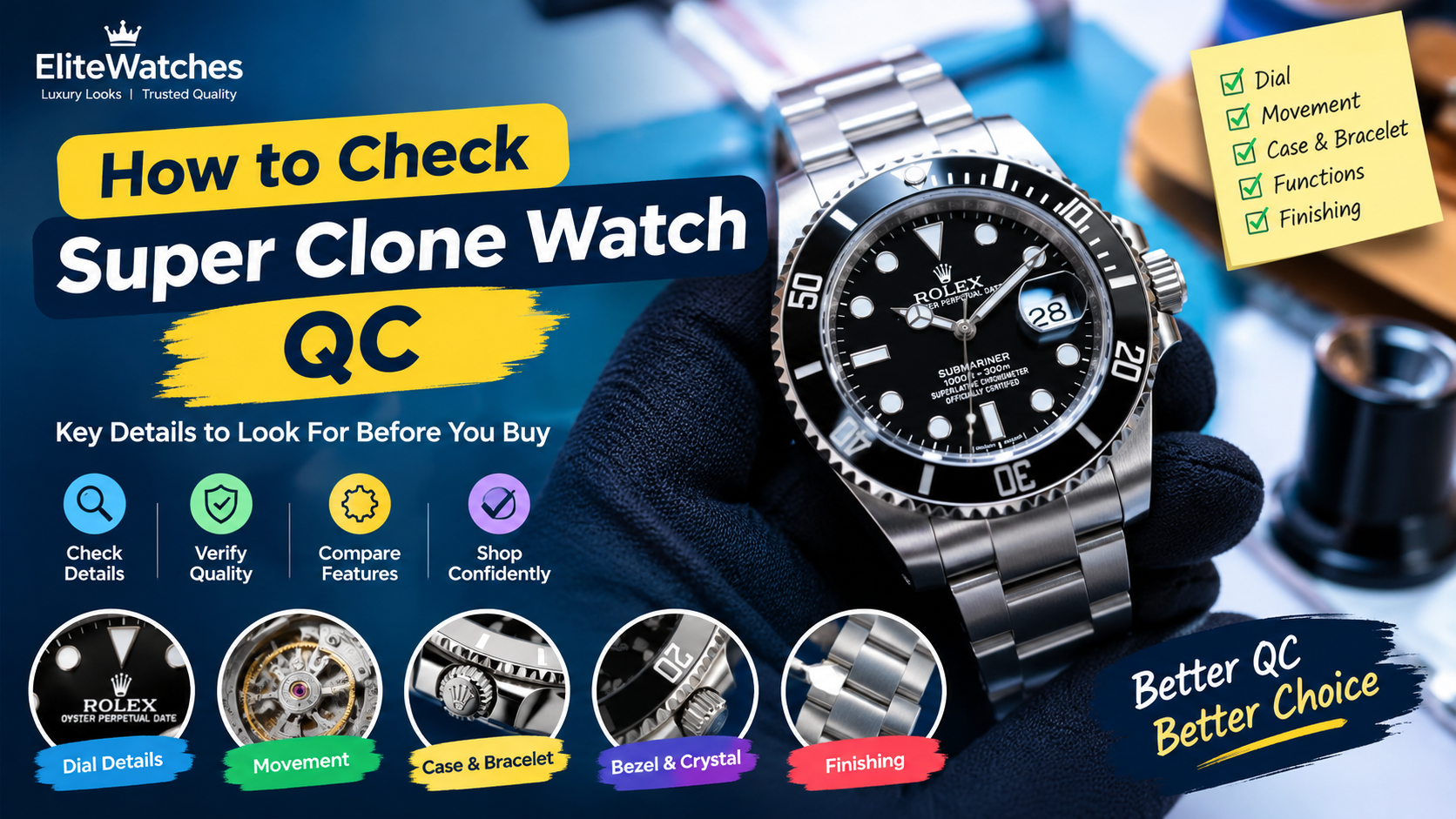
How to Check Super Clone Watch QCPhotos
When researching super clone watches, you may come across the term QC photos. QC stands for quality control, and these photos are used to show the visible details of a specific watch.
For beginners, knowing how to read QC photos can be confusing. A clear front photo may look good at first, but it does not show every detail of the case, bracelet, clasp, or movement. Lighting, camera angles, and image quality can also affect how a watch looks in a photograph.
In this guide, we explain what QC photos show, which details to look at, how to spot visible issues, and what you should not assume from an image alone.
What Are Super Clone Watch QC Photos?
QC photos are images intended to show the condition and visible details of a particular watch. They may be taken during an inspection or before a watch is sent to its next destination.
Unlike general product images, which may be used to present a model, photos of an individual item can help you examine its actual appearance.
A photo set may include:
- A straight front view of the dial
- Close up images of the hands and hour markers
- A view of the bezel and date window
- Side views of the case and crown
- Images of the bracelet or strap
- A close of the clasp
- A view of the case back
- Short videos showing selected functions, when available
Not every photo set includes all these views. If an important detail is missing or difficult to see, the available images may not be enough to assess it properly.
Why Are QC Photos Important?
Photos help you look beyond the overall appearance of a watch. They can reveal visible marks, uneven alignment, poor finishing, or details that are difficult to notice in a standard product image.
For example, a front view may show the dial clearly, while a side view may reveal the case thickness and the position of the crown.
QC photos can help you assess three main areas:
Appearance: Whether the dial, case, bezel, and bracelet look clean and properly aligned.
Condition: Whether there are visible scratches, marks, dust, or other concerns.
Available evidence: Whether the photos show enough detail to answer your questions about the watch.
However, photographs have limits. They cannot confirm every internal component, establish authenticity, or guarantee how a watch will perform over time.
1. Check the Overall Appearance First
Before zooming in, look at the entire watch.
Ask yourself:
- Does the watch look balanced?
- Does the dial appear straight?
- Does the bracelet sit evenly against the case?
- Are there any obvious marks or signs of damage?
- Do the visible parts appear consistent with the listed specifications?
Start with the full image rather than immediately focusing on tiny details. This gives you a better sense of the watch as a whole.
Keep in mind that a tilted camera can make a straight watch appear uneven. If something looks wrong, check another angle before drawing a conclusion.
2. Inspect the Dial and Hour Markers
The dial is one of the most noticeable parts of a watch, so it deserves a close look.
Use a clear, straight front photo and check the following details.
Hour Marker Alignment
Look at the markers around the dial, especially at the 12, 3, 6, and 9 o’clock positions.
Check whether they appear straight, evenly spaced, and properly positioned. If a marker looks tilted, compare it with another clear photo before deciding that it is misaligned.
Hands
Check whether the hands appear straight and properly positioned. Look for visible marks, unusual gaps, or signs that the hands may be touching each other.
A still image cannot show whether the hands move correctly, so a video or functional inspection may be needed to assess operation.
Dial Printing
Look at the printed text, numbers, and other details on the dial.
Check for visible smudging, uneven lettering, or printing that appears unclear. Remember that digital zoom can make small details look rougher than they appear in person.
Dial Color and Texture
Compare the color and texture shown in the photos with the written product description.
Lighting can make the same dial appear lighter, darker, warmer, or cooler. If the color matters to you, a photo taken in natural light can provide a useful context.
3. Look at the Bezel
The bezel is the outer ring around the watch dial. On some watches, it rotates, while on others it is fixed.
When checking a bezel photo, look for:
- Visible alignment issues
- Uneven markings
- Scratches or marks
- Gaps between the bezel and case
- Uneven color or finishing
- Visible damage around the edges
On a watch with a marked bezel, compare the top marker with the 12 o’clock position on the dial.
Do not judge alignment from an angled photograph alone. Perspectives can make the bezel appear off center even when it is not.
A photograph also cannot confirm that a rotating bezel operates smoothly. That requires a functional check.
4. Examine the Date Window
If the watch has a date display, check how the date sits inside the window.
Look for:
- A date that appears centred
- Clear and readable numbers
- A clean date window
- Any visible marks around the display
- The position of the date magnifier, if present
A date numeral may look slightly off center because the watch is photographed at an angle. Try to use a straight front view when assessing this detail.
One photograph only shows the date displayed at that moment. It cannot confirm that the date changes correctly or that every numeral is positioned consistently.
5. Check the Crystal
The crystal is the transparent cover above the dial.
Look closely for visible scratches, dust, smudges, or other marks. Also pay attention to reflections and distortion around the edges.
Strong lighting can create reflections that look like scratches. Likewise, dust on the outside of the crystal may look like a mark inside the watch.
If an area is unclear, a second photograph under different lighting can help.
Do not assume that a crystal is sapphire simply because it looks clear in a photograph. Crystal material should be confirmed through reliable product information or suitable testing.
6. Inspect the Case and Crown
Side views can tell you things that a front photo cannot.
Look at the case from both sides where possible. Check whether the shape appears even and whether there are visible scratches, dents, or rough areas.
Pay attention to:
- Case thickness
- Lug shape
- Crown position
- Crown guards, if present
- Edges between brushed and polished surfaces
- Visible gaps or marks around the case
The crown is the small control on the side of the watch. Its appearance and position can be checked in photographs, but winding and time setting require a functional inspection.
Do not attempt to open the case simply to check the movement. Opening a watch without the right tools and experience can damage the case or affect its seals.
7. Look Closely at the Bracelet or Strap
The bracelet or strap affects both appearance and comfort.
For a metal bracelet, inspect the links, end links, surface finish, and connection to the case. Look for uneven gaps, visible damage, or areas where the finish appears inconsistent.
For a leather or rubber strap, check the surface for cracks, marks, uneven edges, or other visible defects.
Also check that the bracelet or strap matches the product description.
A photograph cannot tell you everything about comfort, flexibility, or how a bracelet feels on the wrist. Those details require a physical inspection or a clear video showing how the parts move.
8. Examine the Clasp
The clasp is the part that fastens the bracelet around the wrist.
Look at the clasp from the outside and, where possible, from the inside. Check for visible scratches, uneven finishing, bent parts, or signs of damage.
If the clasp has an adjustment system or safety lock, photographs may show its design, but they cannot confirm that it works properly.
A short video can help show how the clasp opens and closes. However, a video is not a substitute for checking that the clasp holds securely during normal use.
9. Understand What Movement Photos Can Show
Some photo sets include a view of the movement, while others do not.
A movement photo may help identify visible components and provide information about the construction inside the case. However, it does not establish that the movement is genuine, correctly identified, or in good working conditions.
If movement information matters, look for clear documentation of the stated movement type and any available functional test results.
A photo alone cannot reliably confirm:
- Timekeeping accuracy
- Power reserve
- Long term reliability
- The condition of every internal component
- The need for future servicing
These points require appropriate testing or inspection by a qualified watchmaker.
10. Check the Quality of the Photos Themselves
The quality of the images matters just as much as the details they show.
A useful photo should be clear enough to examine the area in question. If the image is blurry, too dark, heavily edited, or covered by reflections, it may be difficult to reach a fair conclusion.
Before relying on the photos, consider:
- Are the important parts in focus?
- Is the lighting clear and even?
- Can you see the full watch?
- Are there enough angles to assess the case and bracelet?
- Do the images appear to show the same watch?
- Are any important areas hidden or cropped out?
Be cautious about treating a polished catalogue image as proof of an item’s actual condition. The US Federal Trade Commission also advises online shoppers to examine product photos carefully and check whether images show the actual item.
11. Can QC Photos Prove That Watch Is Genuine?
No. QC photos are not proof of authenticity.
A watch may look convincing in photographs without being an authentic product from the brand named in its description. Logos, markings, packaging, and visual details can be copied.
If you need to confirm that a watch is genuine, photographs alone are not enough. Seek an assessment from an appropriate professional or authorized service where available.
A super clone label is a market term, not an official certification of quality or authenticity.
12. Can QC Photos Prove Water Resistance?
No. A photograph cannot establish that a watch is water resistant.
Water resistance depends on factors such as seals, the crown, the case back, assembly, and the condition of the watch. Even a watch that looks clean from the outside may not have effective seals.
Do not rely on a water resistance marking or the design of a dive watch as proof that it is safe to use underwater. Proper testing and reliable documentation are needed to support a water resistance claim.
Common Mistakes When Checking QC Photos
Looking at Only One Photo
A front view does not show the full case profile, bracelet, clasp, or case back. Review all available angles before making a judgment.
Zooming in Too Much
Extreme zoom can make small details appear worse than they look in normal use. Start with the overall appearance, then examine specific areas at a reasonable level of detail.
Ignoring Lighting and Camera Angles
Reflections and perspectives can affect how a watch looks. Compare multiple images before treating a visible difference as a defect.
Assuming QC Means Perfect Condition
Quality control is a process, not a guarantee that every detail is flawless. Read the available inspection information and ask for clarification when something is unclear.
Treating Photos as Proof of Performance
Still images cannot prove timekeeping accuracy, power reserve, water resistance, or long-term reliability.
QC Photo Checklist
Use this checklist when reviewing photos.
Dial
- Hour markers look straight and evenly spaced.
- Hands appear properly positioned.
- Printing is clear in the available images.
- Dial color is consistent with the description.
Bezel and Date
- Bezel appears properly aligned.
- Markings are clear.
- Date is readable and appears centered.
- Date magnifier, if present, is clearly visible.
Case and Crystal
- Case shape looks even.
- No obvious scratches or dents are visible.
- Crown and case edges are clearly shown.
- Crystal has no obvious visible damage.
Bracelet and Clasp
- The bracelet or strap matches the description.
- Links and connections look even.
- No obvious damage is visible.
- Clasp is shown clearly.
Photos and Documentation
- The images are clear and well lit.
- More than one angle is available.
- Images appear to show the same item.
- Important specifications are documented.
- Any unclear details have been addressed.
Important: Passing this visual checklist does not establish authenticity or guarantee the watch’s mechanical condition.
Frequently Asked Questions
What does QC mean in watches?
QC means quality control. It refers to checking a watch’s condition and other details against the expected specifications or inspection requirements.
How many QC photos should I review?
There is no fixed number that works for every watch. The important point is to have clear views of the dial, case, sides, bracelet or strap, clasp, and other relevant details.
What should I check first in QC photos?
Start with the overall appearance, then check the dial, hands, bezel, date window, case, crystal, bracelet, and clasp.
Can QC photos show whether a movement works?
No. A movement photo can show some visible components, but it cannot establish that the movement works correctly. Functional testing is needed.
Are QC photos the same as product photos?
Not necessarily. Product photos may be general images used to present a model. QC photos are intended to show the condition or details of a specific item, but you should confirm that the images actually show that item.
Do QC photos guarantee good quality?
No. They can help identify visible concerns, but they cannot guarantee long-term performance, authenticity, or the absence of hidden defects.
Final Thoughts
Knowing how to check QC photos helps you understand what an image can and cannot tell you about a watch.
Start with the overall appearance, inspect the dial and bezel, check the case and bracelet, and look for visible marks or alignment issues. Use clear images from different angles and ask for more information when an important detail cannot be seen.
Most importantly, do not confuse a good-looking photograph with proof of authenticity or reliable performance. QC photos are one part of an inspection, and their value depends on the quality of the images and the information available.